Contents

Today, I put the incredibly small Saramonic Air up against the current industry favorite, the DJI Mic 2, to see how it really stacks up. The results will surprise you.
What You Get in the Box
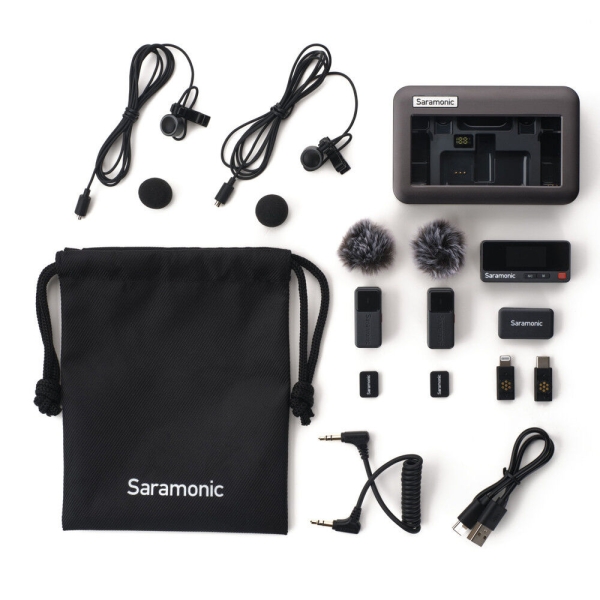
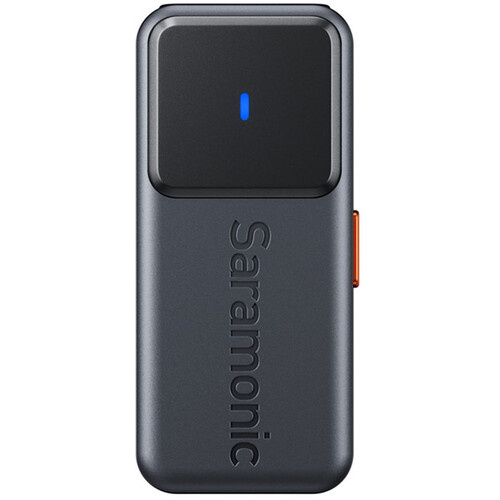
The Saramonic Air comes with a lot. You get a carrying case, a charging case, two extremely small transmitters, one receiver, and multiple accessories. There are optional receiver adapters that plug directly into a smartphone, two deadcats, a headphone cable for cameras, a charging cable, two lavalier microphones, standard windscreens, and shirt clips.
One optional accessory worth mentioning is the Sony hot shoe adapter. This is sold separately and only works with Sony cameras that support digital audio through the hot shoe. Instead of using a standard audio cable, the signal passes digitally straight into the camera, which is both cleaner and more convenient.
Design and Size Compared to DJI
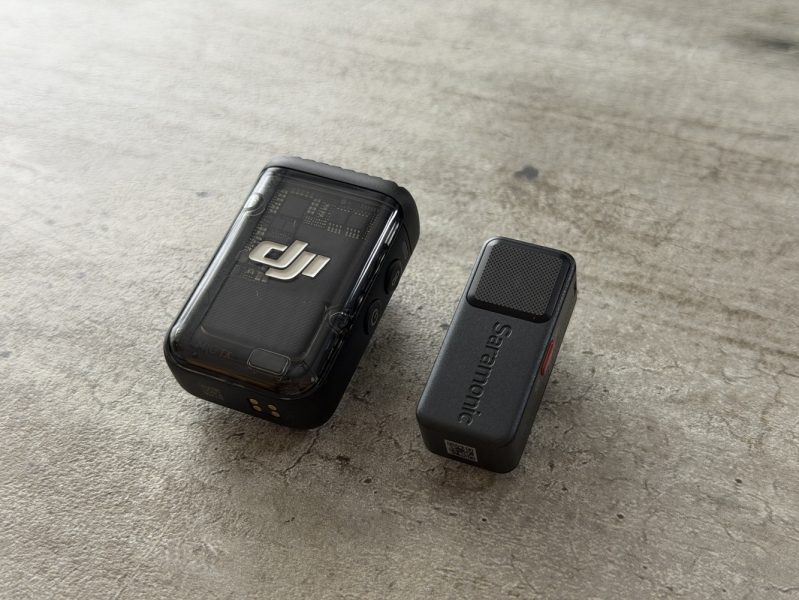
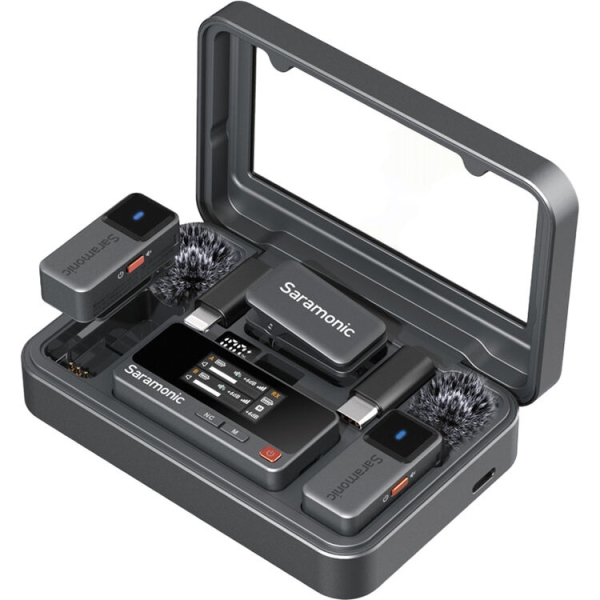
The first thing you notice is size. The Saramonic charging case is significantly smaller than DJI’s, especially in width. But the transmitters are the real headline. They are shockingly small—easily less than half the size of the DJI Mic 2 transmitters.
Both systems allow you to attach lavalier microphones, but here is where price matters. The DJI Mic 2 costs about $50 more and does not include lavaliers. By the time you buy DJI’s lavs, you are roughly $100 deeper. Saramonic includes them in the box.
That said, I am not a fan of Saramonic’s lavalier design. The connector appears proprietary, which likely had to happen because the transmitters are so small. A standard 3.5 mm jack would take up too much space. Still, it means you cannot use higher-end lavaliers you might already own.
The lav itself is also unusually large and round, making it harder to hide or use standard accessories. The included wind protection is oddly implemented as well. The deadcats only work on the built-in mic, and fitting the foam windscreen onto the lavalier is frustrating.
Receiver UI and Controls
Neither system is perfect here.
The DJI receiver uses a touchscreen with swipes and a rotary dial. I find it cluttered and unintuitive. I never remember which swipe goes where, or why the knob even exists.
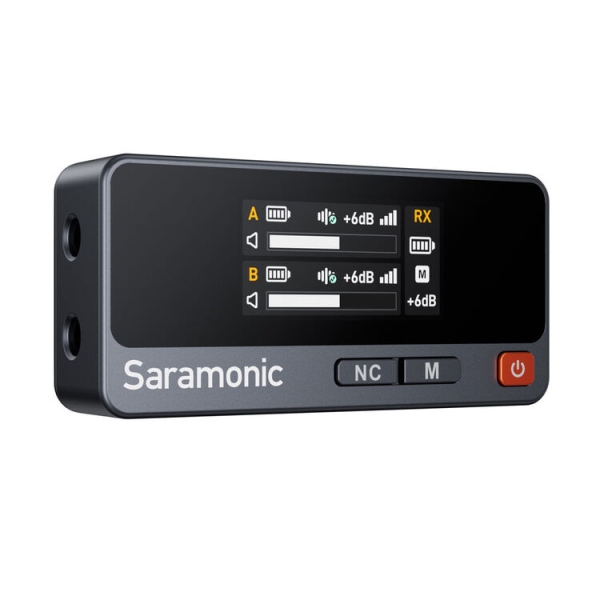
Saramonic goes the opposite direction: no touchscreen at all. You navigate by tapping and holding buttons, cycling through options in a way that feels easy to mess up. The biggest issue is that the noise cancellation button is part of the navigation. I hate mic-level noise cancellation. I prefer handling noise in post, where I have control, and I can easily see myself turning it on accidentally while navigating menus.
One minor but funny annoyance is the charging case. It is metal, which feels premium, but the magnets on the transmitters can either attract or repel depending on orientation. If you place one the wrong way, it literally jumps out of the case.
App Experience
This is where Saramonic redeems itself. The iPhone app is excellent. The UI is clear, responsive, and unlocks deeper control over the sound. If you want to fine-tune EQ and character, you can. More importantly, the microphone already sounds great without touching anything.
Audio Quality Tests
First, I compared the Saramonic Air’s built-in mic to its included lavalier. To my ear, the built-in mic sounds noticeably better.
Then I compared the Saramonic Air’s built-in mic directly against the DJI Mic 2. Once again, the difference was obvious to me. The Saramonic sounds cleaner, fuller, and more natural. Even outdoors, the difference was noticeable.
The size difference also matters in real use. The Saramonic is lighter and far less noticeable on your shirt.
Range Test
I have tested wireless mics in the same location many times, including the DJI system at least five times. Normally, the DJI mics start cutting out once I turn my back to the receiver at a certain distance.
Every time I have tested Saramonic systems here, they have held signal at absurd distances as long as I am facing the camera. In this particular test, both systems performed unusually well, but that has not been my typical experience. Historically, Saramonic has delivered better range.
The One Feature That Matters
There is one major downside to the Saramonic Air: it does not record internally. The DJI Mic 2 transmitters do. That feature has saved me more than once. If interference ruins your wireless signal, internal recording gives you a perfect backup. I do not use it often, but when I need it, it is invaluable. Personally, I do not love the idea of going back to a system without it.
If you want Saramonic’s sound quality and internal recording, the Saramonic Ultra exists. It is still under $300 and includes better lavaliers.
Final Verdict
The Saramonic Air is better than the DJI Mic 2 in almost every way that matters day-to-day: smaller case, smaller transmitters, better sound, excellent range, and potentially half the price once accessories are considered.
If internal recording is critical for you, look elsewhere or step up to the Saramonic Ultra. But if you are a solo creator, always near your camera, and want the best sound in the smallest package, the Saramonic Air is an easy recommendation.
I still cannot believe this microphone costs $150.