Contents

As a photographer, I have always believed that printed photographs hold a special place in our lives, inviting us to pause and relive a moment. But in today’s digital world, where taking images has become effortless, we often find ourselves capturing thousands of photos just for the sake of it, rarely printing any of them.
This indirectly causes the value of each image to feel diminished, as most of them end up buried in phone galleries or cloud storage, unseen and forgotten — aggressively dropping the average image lifespan compared to the pre-digital days. This is where I believe digital photo frames come in, bridging the gap between nostalgia and convenience by encouraging the habit of displaying images again so they can be seen, appreciated, and remembered — more than just once.
Build Quality
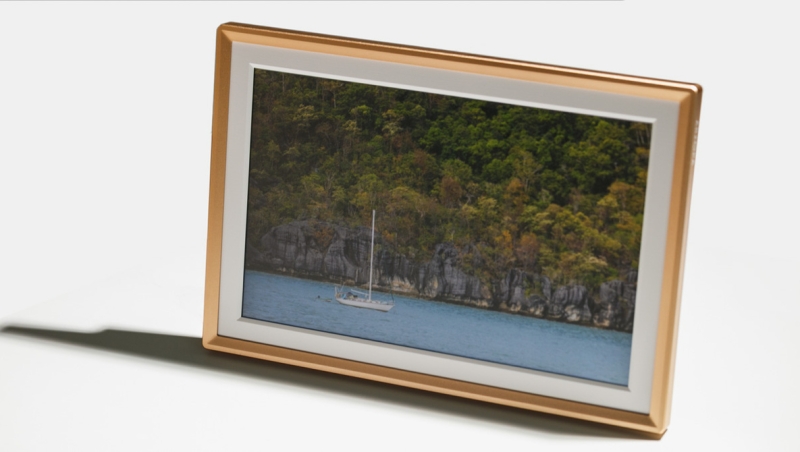
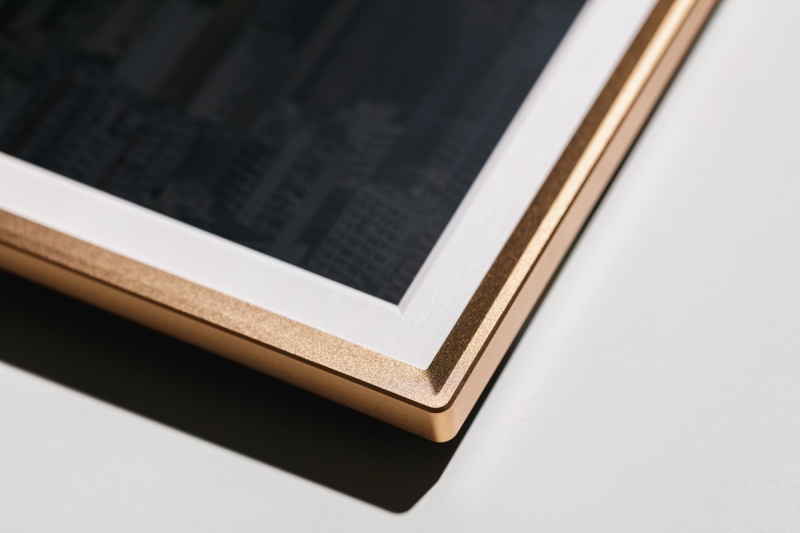
The Arzopa D14 definitely did leave a strong impression at first glance with its sleek, minimalist design. The premium champagne gold metallic frame adds a touch of sophistication that fits effortlessly into most modern interiors. I would say it complements your photos well without drawing unnecessary attention. Measuring 363 mm × 248.5 mm × 27 mm, the frame features a 14-inch anti-glare LCD panel, offering clear visibility even under most viewing conditions.
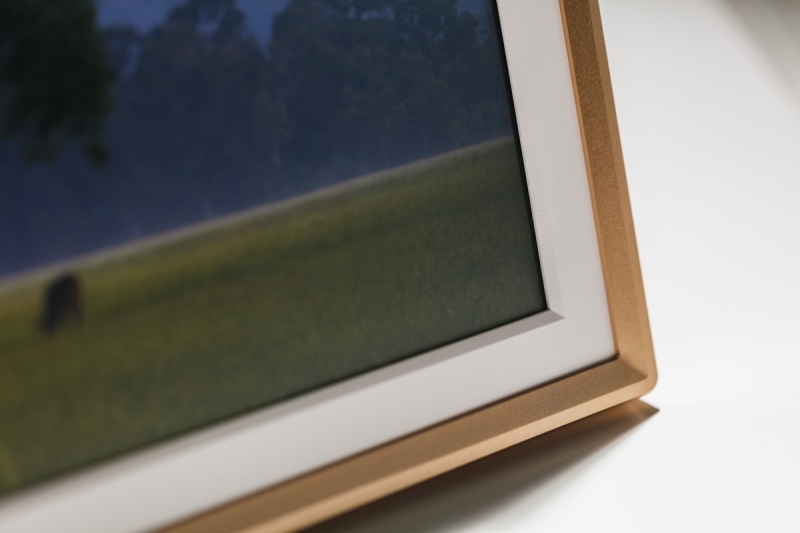
The LCD panel also features a 10-point capacitive touchscreen, which is surprisingly responsive when navigating settings or scrolling through images. The screen’s coating also does a good job of minimizing fingerprints, keeping the display neat even after frequent use. As for longevity, it’s hard to tell at this stage, as I have not used the frame long enough to know if the display will vignette or fade over time, especially since it’s designed to run almost continuously, 24/7. Its power consumption is quite efficient, at just 7 W during operation and 2 W on standby.
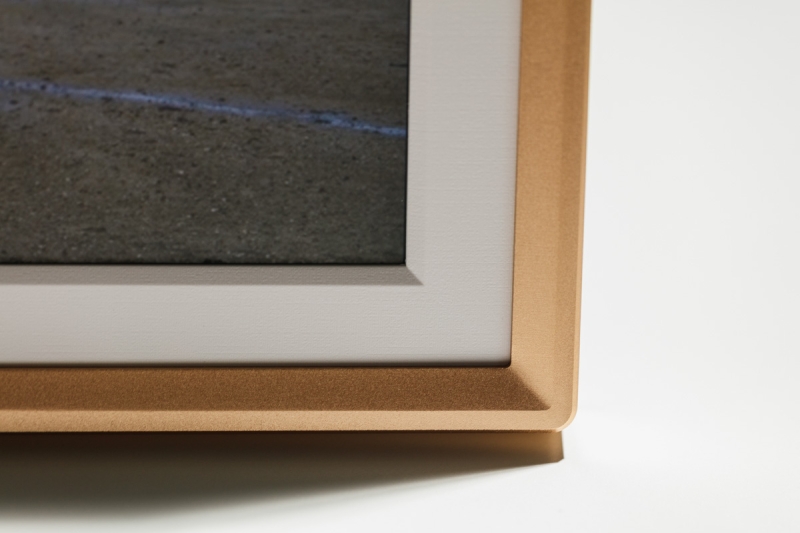
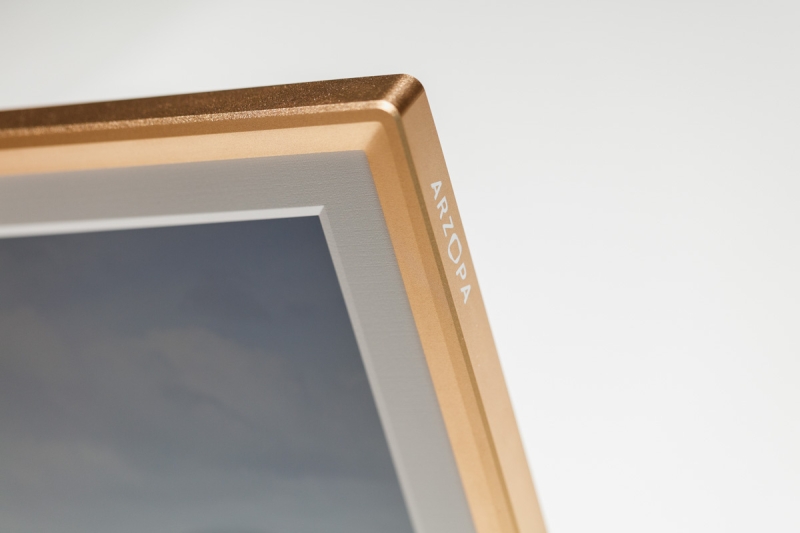
Thick outer frame.
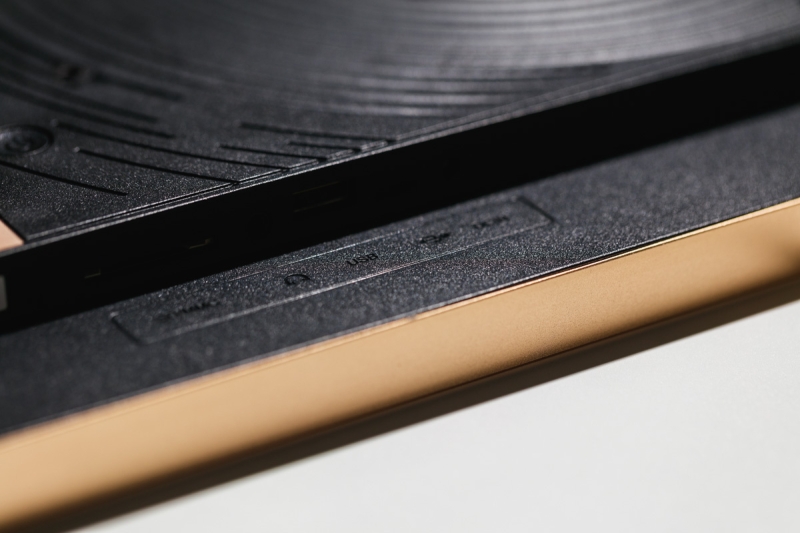
The entire frame is surprisingly lightweight, and the build itself is quite solid. Thanks to its rigid outer plastic frame construction, it does not bend even when a certain force is applied. It also features a rather thick bezel, which may protect the LCD panel from cracking if it’s accidentally dropped. It also features a metal detachable stand that allows the frame to be used on the tabletop. However, I am not a big fan of it, as it can come off a little too easily when repositioning the frame. You can also find two rabbets at the back of the frame, allowing you to hang it horizontally or vertically, giving you flexibility depending on your display space. The retro-inspired back panel has also earned the Silver Award at the MUSE Design Awards in the United States, a subtle testament to the thought put into its aesthetics.
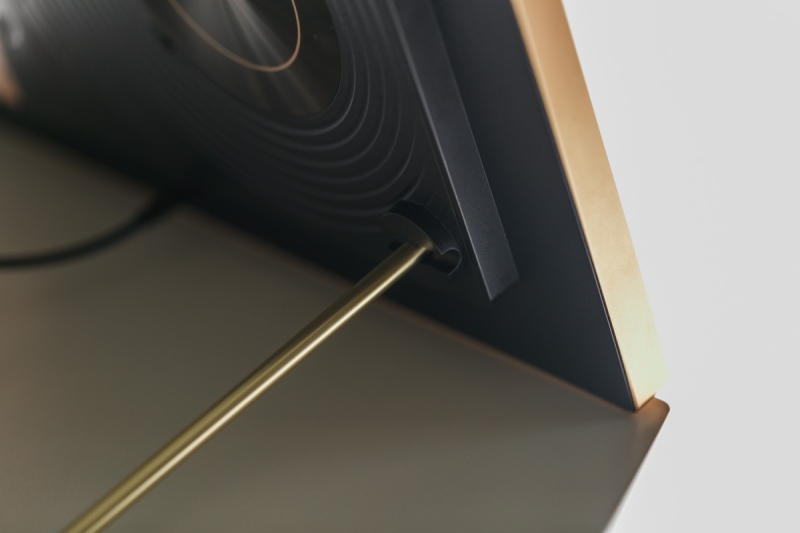
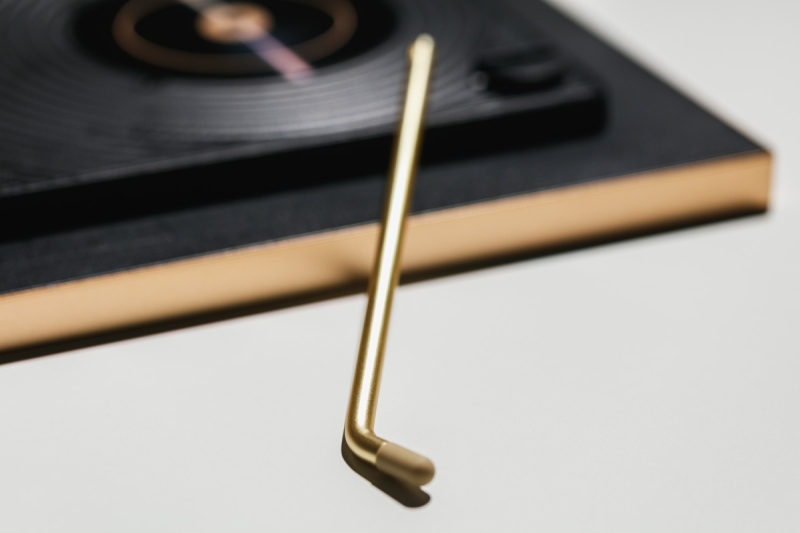
Detachable metal stand.
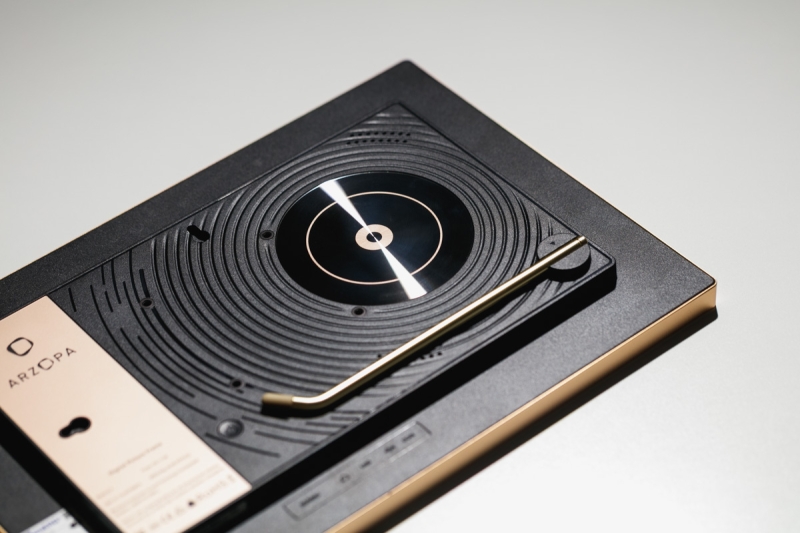
Retro-inspired back panel mimicking vinyl player that earned the Silver Award at the MUSE Design Awards in the United States.
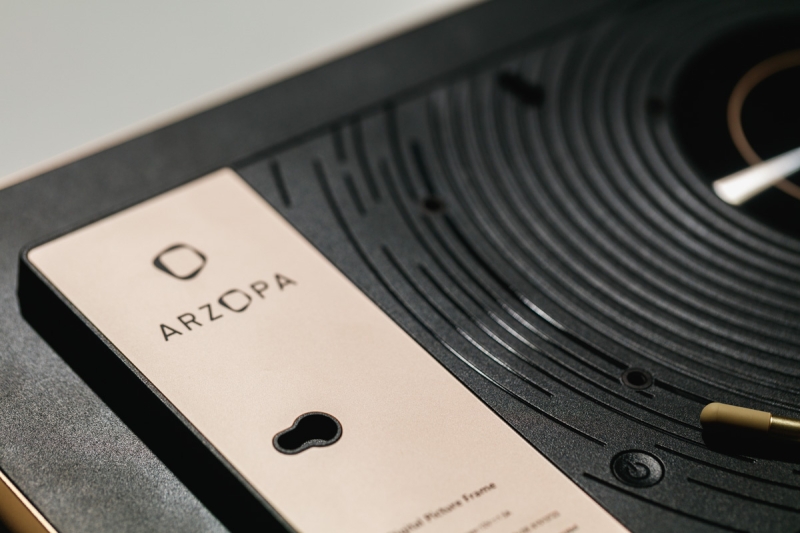
Rabbets at the back of the frame.There is also a gravity sensor built into the frame that automatically adjusts screen orientation as you rotate the frame. However, it is worth mentioning that the D14 does require constant connection to a power supply. Therefore, its placement can be slightly restrictive. You will need to keep it near a wall socket or find creative ways to hide the cables, which means it will most likely end up somewhere near the TV console.
In terms of connectivity, Arzopa provides a generous array of ports located at the back of the frame: Type-C for direct PC connection (though currently limited to Windows computers only), DC power input, 3.5 mm headphone jack, SD card slot supporting up to 128 GB, and a USB-A port for flash drives of the same capacity.
Features
The Arzopa D14 packs quite a number of features under its minimalist design. The 14-inch display runs at a 1920 × 1200 resolution with a 16:10 aspect ratio, offering crisp and well-balanced visual output. Its brightness peaks at 300 nits and is more than sufficient for most indoor settings, though I found the highest setting a little too glaring in a dark environment. Personally, I would suggest keeping it below 50%, which gives a more comfortable viewing experience.
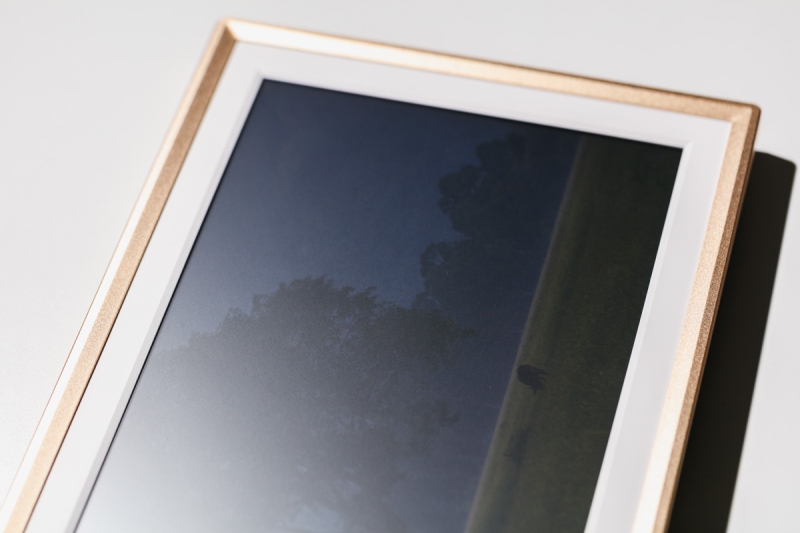
Notice the drop in visibility when shining with a direct light source.
The display also supports a respectable 1000:1 contrast ratio for clear visibility. It is, however, slightly weaker in terms of color gamut coverage, covering only around 67% sRGB and roughly 50% Adobe RGB/DCI-P3. Despite this, the color accuracy is still quite good, though the images can look less saturated, but definitely enough for casual display. If anything, this helps it to look less like a display and more like a print. Viewing angles are pretty generous at 89° in all directions, but it is still recommended to view the images straight on, as it will darken towards the sides due to the polarization effect.
Inside, the D14 is powered by a quad-core Cortex-A35 processor (RK3326) with 1 GB RAM and 32 GB internal storage. It is definitely not a powerhouse, but it’s perfectly adequate for photo playback, video slideshows, and general navigation. There are two 2 W built-in speakers that deliver basic sound output, which is functional for playback of short video clips, but do not expect high-quality audio coming from them.
Beyond the basics, Arzopa has included a surprisingly comprehensive set of smart features. The frame is capable of displaying date, time, weather, temperature, and location, and it also supports remote photo sharing, cloud storage, likes, and interactions through its Arzopa companion app. You can also personalize your display with custom greetings and manage timeline galleries and photo uploads all within the mobile app itself.
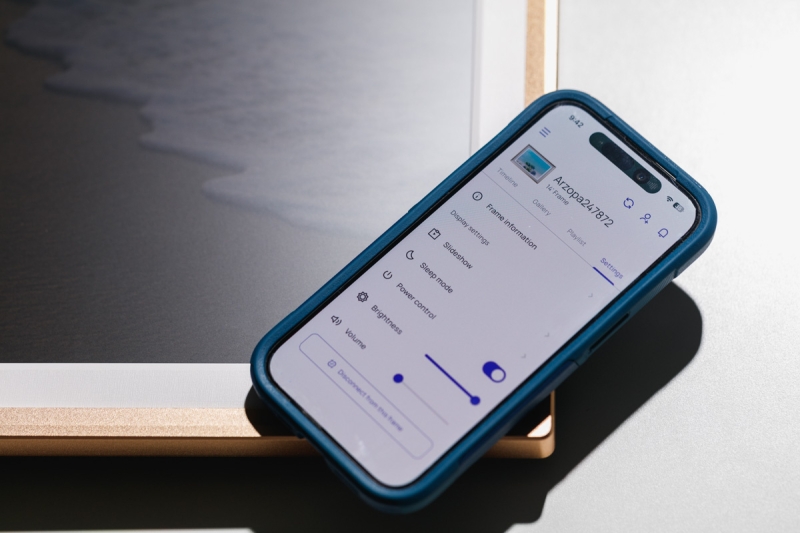
The Arzopa App, a self-developed app, deserves a mention for its intuitiveness and ease of use, though I did find issues setting up a new account and can only sign in via an Apple account — a minor bug that hopefully can be fixed in the coming updates.
Arzopa is also currently promoting free unlimited cloud storage for the first 100,000 users — a clear marketing push to encourage early adoption. Unfortunately, we have no idea what will happen when that limit is reached — but Arzopa did clarify that existing users who are currently enjoying the unlimited storage will not be charged later. At this stage, there is still no notice regarding charges for unlimited cloud storage.
Real-World Usage Experience and Thoughts
For the longest time, I was not really a fan of digital frames as the idea had always felt a little gimmicky, and most importantly, each one is ultimately still a screen rather than a physical printed frame. But after spending some time with the Arzopa D14, my perception has changed slightly. It actually offers a thoughtful and easy way to relive memories, organize your images, or even preview how a photograph might look when framed. Simply put, it is a one-stop solution that forces you to manage your images more intentionally for display compared to just playing them back from a traditional monitor.
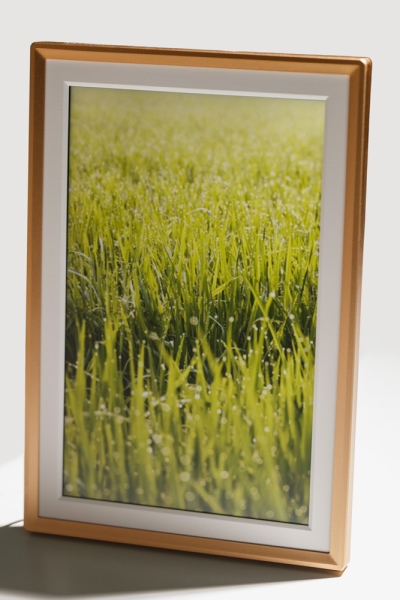
Arzopa D14 on portrait orientation.
One unexpected advantage is the ability to enjoy photos even in low-light or dark environments — this is obviously something traditional prints can’t offer. That said, as we have discussed previously, the screen can feel a bit glaring in a dark room, so it’s best to schedule the frame to turn off while you sleep to preserve the ambience.
Managing images is also refreshingly simple logistically compared to traditional media. You can easily swap images by loading them through USB, SD card, or computer connection, but personally, the Arzopa App is still my preferred method, as I can do it wirelessly and conveniently. Since most of us already keep our images on our phones, the app makes it effortless to upload, organize, and customize the slideshow experience. You can further adjust interval times, create themed playlists, choose between fit or fill display modes, and even share access to the frame with family members so they can contribute their photos remotely.
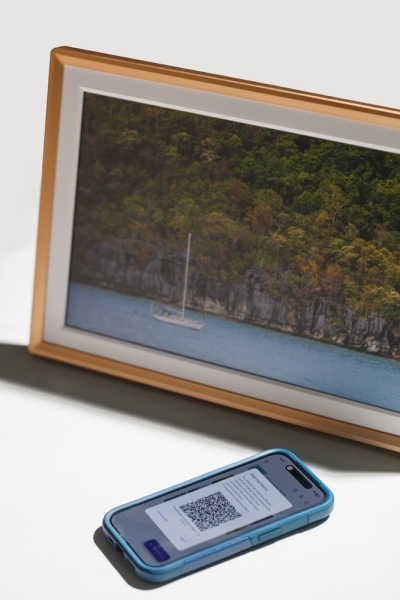
Custom QR code for sharing the frame access with friends and family so they can contribute their photos remotely.
Looking beyond just showing pictures, the D14 also includes practical features that traditional prints could never offer — pre-set gift playlists, a fun “like” feature, and other useful extras like a clock, weather display, and sleep mode. These small touches make it feel more like a living, connected display rather than just a static photo frame.
Over time, the D14 starts to blend naturally into your daily environment — quietly cycling through moments that might otherwise stay buried in your phone. It doesn’t demand attention, but it does remind you of the value in slowing down and appreciating the images you’ve captured.
Summary
What I Liked
- Large and Clear Display: The stunning 14-inch HD screen offers excellent visibility from almost any angle.
- Unlimited Cloud Storage: Easily upload and store as many photos and short videos (up to 2 minutes) as you want.
- Versatile Upload Options: Supports cloud uploads, SD cards, USB drives, and direct transfer from Windows PCs.
- Easy Organization: Create folders, manage playlists, and customize slideshows effortlessly through the brand’s dedicated Arzopa app.
- Night-Friendly Viewing: Can display images clearly even in dark environments — something traditional prints can’t do.
- Auto-Rotation Support: The built-in gravity sensor automatically adjusts orientation, allowing both horizontal and vertical display without manual adjustment.
What Could Be Improved
- Constant Power Requirement: Needs to stay plugged in at all times, which limits placement and requires some cable management.
- Detachable Stand: The stand design feels a bit too loose and can detach easily when repositioning.
- No Auto-Dimming Feature: Adaptive brightness based on ambient lighting would be a welcome improvement.
- Limited Color Gamut: Wider color space support would enhance image depth and accuracy, especially for photographers.
Final Closing Thoughts
The Arzopa D14 Digital Photo Frame is a surprisingly elegant blend of form and function. It redefines what a digital frame can mean — a modern way to reconnect with your photographic memories. In my opinion, it is definitely suitable for those who want a simple way to display their images in their physical space, as it offers an easily adoptable solution just for that.