Contents

Canon has released a vlog camera based on the popular Canon EOS R50 mirrorless camera. This APS-C camera is aimed at content creators and has an attractive set of video features without making it too complicated. Canon Netherlands provided the Canon EOS R50 V for a review.
The Canon EOS R50 is a nice camera for the photography enthusiast. The camera offers a decent set of options, including a basic video function. If you are mainly interested in photography, the Canon EOS R50 can be a good choice. However, if your interest leans toward filming or vlogging, then you might consider the new Canon EOS R50 V. This camera is fully aimed at video without losing the ability to use it for photography.
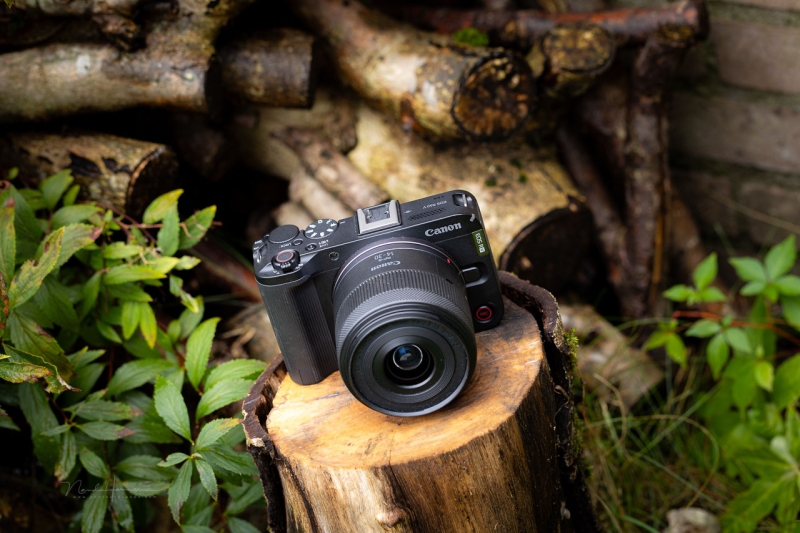
The Canon EOS R50 V with the Canon RF-S 14-30mm f/4.5-6.3 IS STM PZ lens.
That is why, for this review, I have focused entirely on its video capabilities. Photography is not covered. Since the camera is based on the EOS R50, I invite you to read my review on that camera. That way you can get an idea of what to expect in terms of photography.
Some Specifications
Because the EOS R50 V is aimed at video, I’ve listed the most important specs in that area. For photography, it’s good to know that you essentially have the same or similar functions as the EOS R50.
- 25.5-megapixel APS-C CMOS sensor
- Single UHS-II SD card slot
- Dual Pixel CMOS AF II autofocus system with 651 zones for photos and 527 for video
- Autofocus sensitivity up to -5 EV
- Object recognition for people, animals, and vehicles
- ISO sensitivity from 100 to 32,000 (expandable to 51,200)
- 3-inch LCD screen with 1.04 megapixels, no EVF
- 4K UHD from 6K oversampling in 50 fps (crop) and 25 fps, Full HD in 100, 50, and 25 fps
- XF-HEVC S YCC422 10-bit H.265 and XF-AVC S YCC422 10-bit H.264
- HDR PQ and Log3 recording, supports BT.709, BT.2020, and Cinema Gamut
- Video modes for smooth skin and close-up demos
- Built-in stereo microphone 48 kHz and 16-bit, 2 channels
- USB-C for charging and communication
- Wi-Fi and Bluetooth 5.1
- Micro-HDMI port, microphone, and headphone connection
- Maximum 2 hours of continuous video recording (except at high frame rates)
- Dimensions: 119.3 x 73.7 x 45.2 mm, 370 g including card and battery
Small and compact. It’s easy to carry with you.
The Camera Up Close
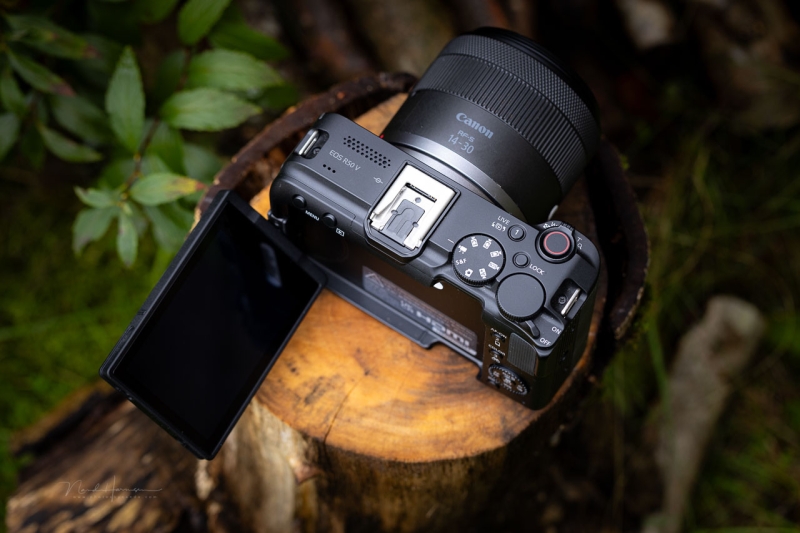
The Canon EOS R50 V has a simple design with the most important functions within easy reach. An electronic or optical viewfinder is missing, but it has a fully articulating LCD screen. The camera has two video record buttons: one on top and one on the front.
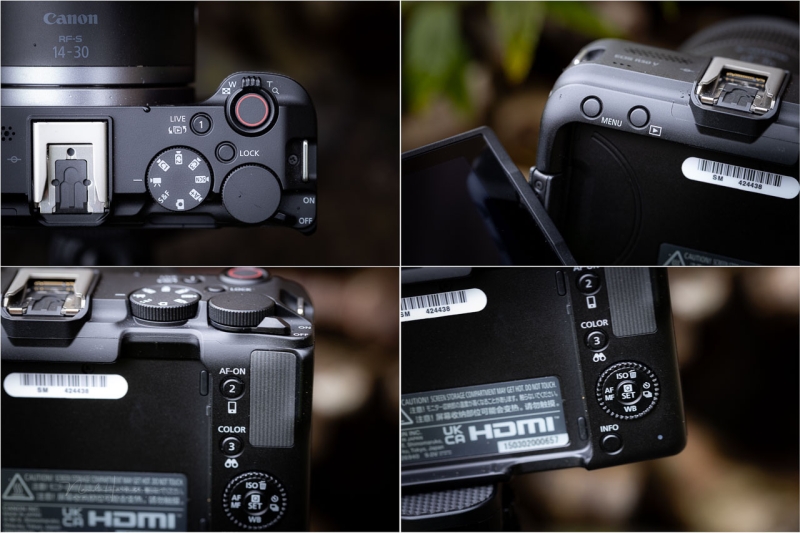
An overview of the buttons on the Canon EOS R50 V.
It’s notable that there is no dial under the shutter button. You do have one on the top plate and one in combination with the four-way button on the back. The shutter button has a zoom lever for power zoom lenses, like the Canon RF-S 14-30mm f/4.5-6.3 IS STM PZ lens that came with the camera.
The buttons are fairly small, which is understandable given the camera size. Operation with the touchscreen is also possible, and perhaps more convenient. The PSAM dial is video-oriented, with only one setting for photography. Photographers do have all the options and settings, but it’s almost completely touchscreen operated.
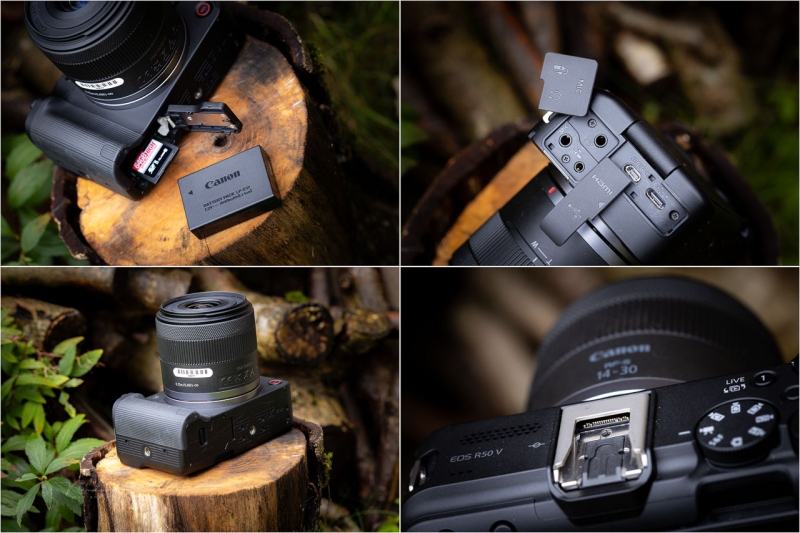
The connections, and the battery with memory cardslot. The camera has two tripod mounts.
The EOS R50 V connections include a remote, microphone, and headphone jack. There’s also micro-HDMI and USB-C for the connection with a computer or smart device. It can be used to charge the battery as well, but with a caveat, which I cover later in the review. The hot shoe has electrical contacts for accessories.
The camera is powered by a small LP-E17 battery, good for 480 shots (CIPA). For video, the battery allowed about 25 minutes of continuous recording. Next to the battery is the UHS-II SD card slot.
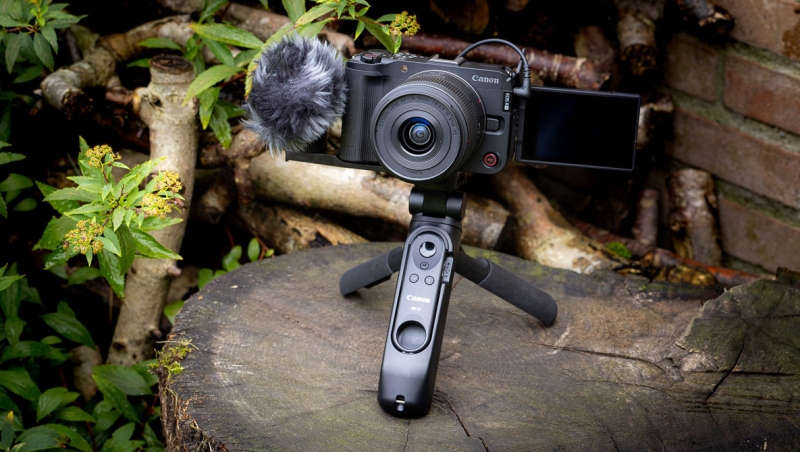
I received the camera with the Canon Tripod Grip HG-100TBR, including the BR-E1 remote control, and the Canon DM-E100 stereo microphone. This creative set makes it easy to start using the camera. Unfortunately, the DM-E100 microphone doesn’t make use of the special hot shoe connectors. However, other microphones are available. A small bracket allows you to place the DM-E100 microphone next to the camera. This way the hot shoe can be used for other
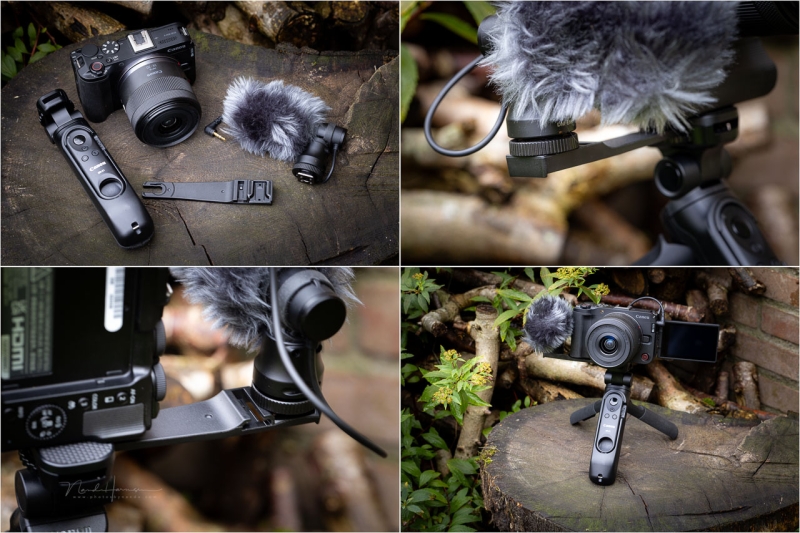
I received the camera with the tripod grip and microphone. It’s a nice and complete package to start filming.
Video Functions
The video capabilities are more than sufficient for the intended use of the Canon EOS R50 V. You can record up to 4K25p. There are limitations if you want 4K at 50 fps, including an extra crop.
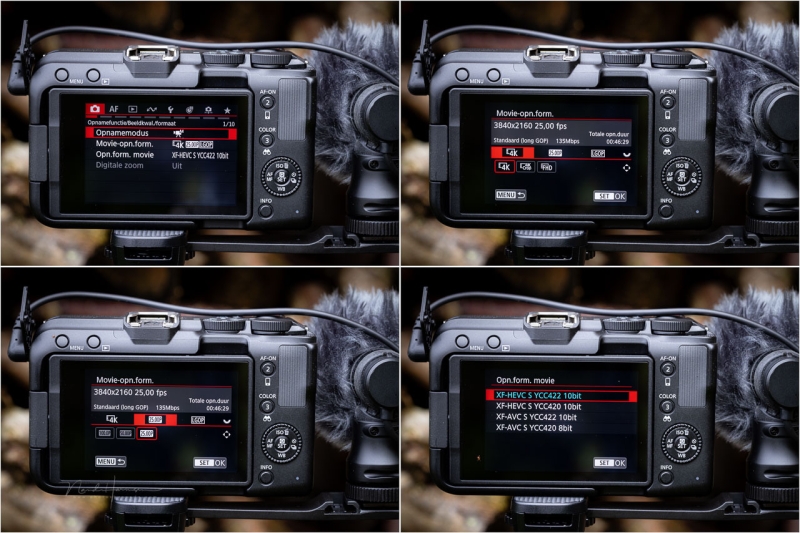
Some video settings (in the Dutch language, but you get the idea).
Recording in Full HD is also possible. With this format, you can get up to 100 fps. For many social media uses, Full HD is perhaps sufficient, but recording in 4K offers many benefits. There’s also an S&Q setting with some fixed frame rates to choose from.
Choose between the XF-HEVC S and XF-AVC S formats for video. YCC422 and YCC420 10-bit are available, except for XF-AVC S and YCC420, which are limited to 8-bit.
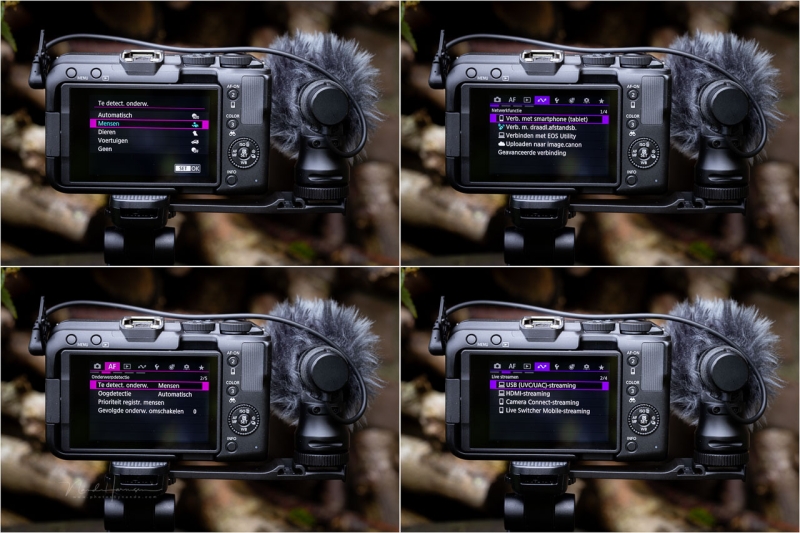
You can find the regular autofocus settings and subject detection options here. Many connectivity options are available.
The EOS R50 V also offers useful features such as 4 audio channels, a tally lamp, and digital image stabilization. You have the ability to record in HDR PQ, LOG 3, and well-known video color modes like BT.709, BT.2020, and Cinema Gamut.
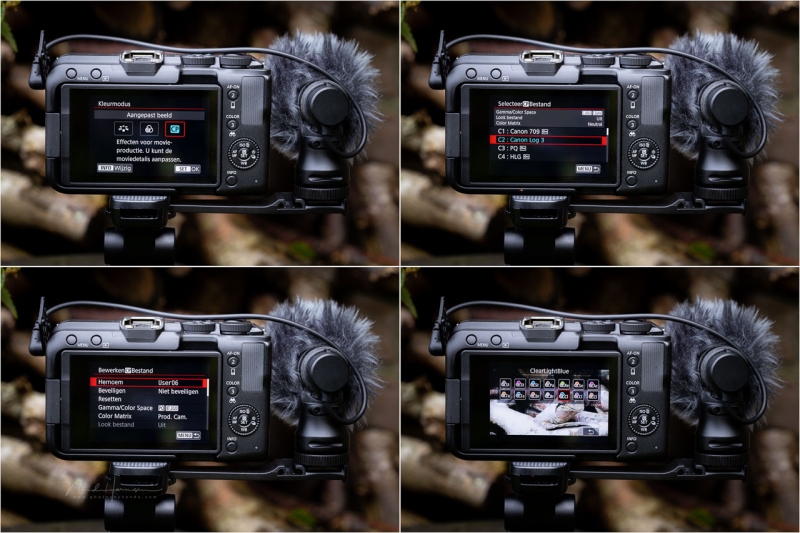
There are a decent amount of video options available. These four screenshots give an idea.
Autofocus and Connectivity
The EOS R50 V has autofocus with subject recognition for people, animals, and vehicles, with full tracking ability. This is available for both photo and video. For people, it will detect eyes, faces, and bodies. You can register faces for priority.
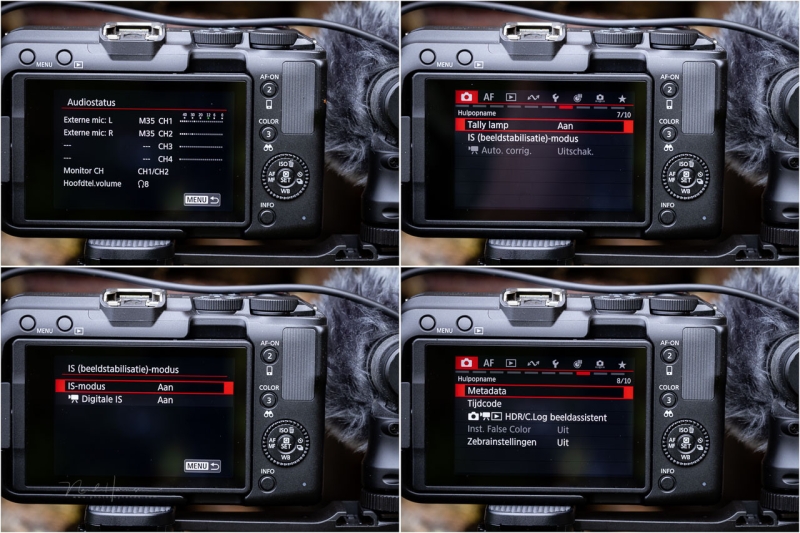
The behavior of the camera can be customized to your liking.
Autofocus works well but is not flawless. Especially when the subject has little contrast or is small in the frame, the autofocus and tracking may struggle. I noticed how it sometimes loses focus for a few seconds before acquiring focus again. There are plenty of settings to fine-tune autofocus behavior if needed.
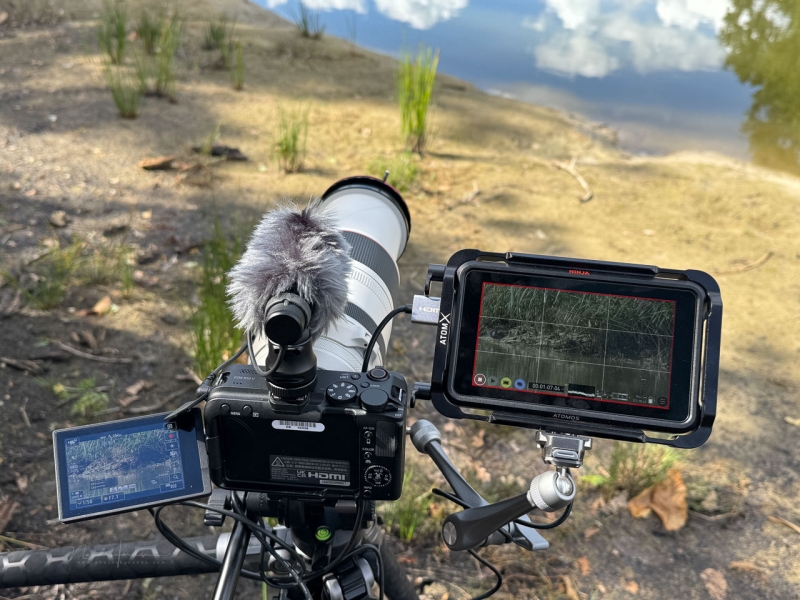
I recorded some footage in the park with an external recorder. You can see some results in the video that comes with the article.
The camera can connect to smart devices like tablets or smartphones, as you may expect. The EOS Utility app provides a nice set of extra options. The EOS R50 V can also be used as a webcam for direct video streaming.
Practical Use of the Canon EOS R50 V
Using the EOS R50 V is simple. Put everything on automatic, connect the microphone, and you can start filming. With the tripod grip, you can operate recording, use autofocus, and power zoom if the lens has that option. You can mount the camera both horizontally and vertically.
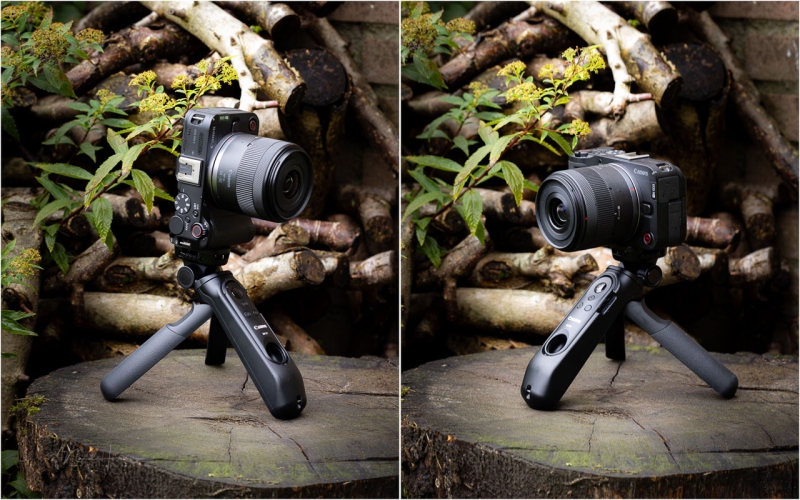
Two tripod connections make it easy to use the camera both horizontal and vertical.
The camera detects orientation and saves the video accordingly. Autofocus ensures a sharp image, and you can enable HDR PQ to get the most out of exposure, even in backlight situations.
There are a few practical issues. Most notably, the choice of settings determines what’s available in the menu and what isn’t. If a setting is unavailable, figuring out why takes time or experience.
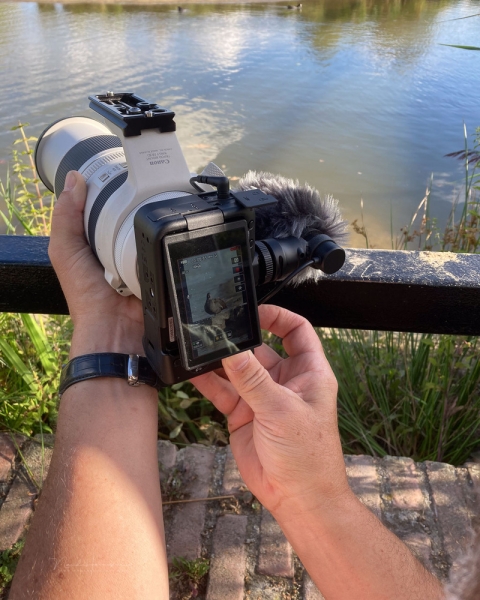
The digital image stabilization made it possible to record stable footage up to 500mm focal length. But it is difficult.
The limited battery life can be an issue as well. After half an hour of continuous recording, or a couple of hours of general use, the battery will be empty. Using an external power bank seems not possible. It limits the camera’s functions, making it difficult or almost impossible to use. Therefore, spare batteries are a must.
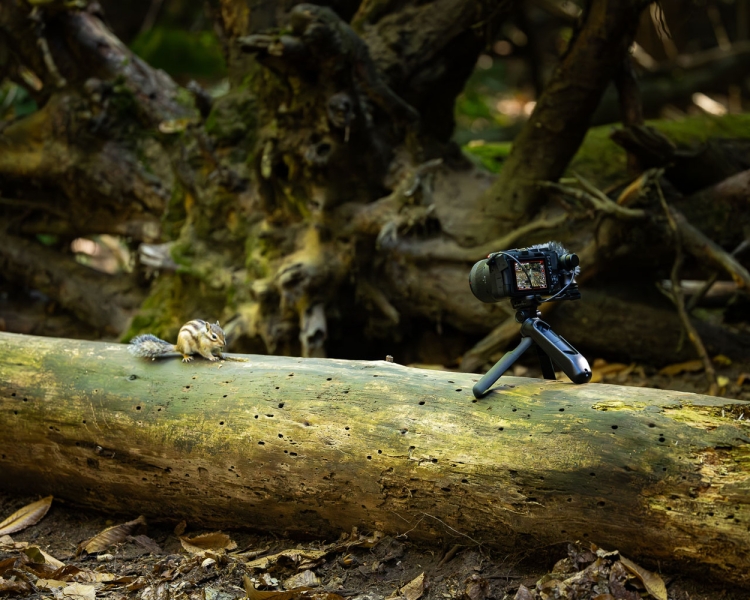
I recorded some squirrels in a nearby forest. The Bluetooth remote came in handy. Unfortunately, it is difficult to see if the camera is recording. The indication on screen is small.
It’s nice that the camera accepts all RF lenses and EF lenses (with adapter). If you already own Canon lenses, they can be used perfectly, whether for telephoto or wide angle vlogging. The digital image stabilization even made it possible to use an RF 100-500mm handheld. However, I would advise a tripod nevertheless.
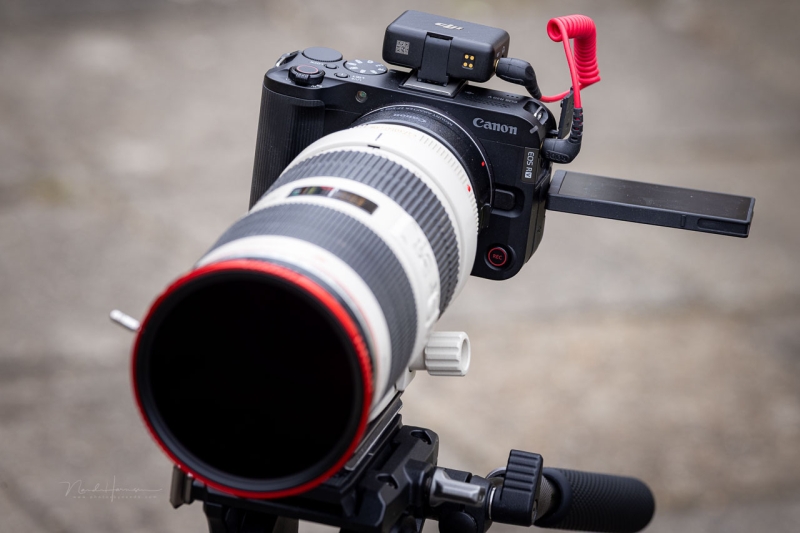
Long recordings are possible, up to two hours. But I couldn’t go past 25 minutes because the camera couldn’t be operated with an external battery.
What I miss is a clear visual signal that you’re recording. A simple red frame around the display would be nice, but it’s missing. I don’t understand why Canon is still holding on to the standard small red icon on the screen.
Conclusion
It’s important to first consider who this camera is for. The Canon EOS R50 V is meant to be accessible. It’s intended for videographers who want to record easily without worrying too much about settings.
The EOS R50 V meets these demands. The camera is small, light, and offers enough features to get started with video. That could be vertical video for social media or traditional widescreen for TV or monitors.
The video is in the Dutch language. Please use subtitles in your preferred language.
Even though it is simple to use, the EOS R50 V offers a lot of nice video options, and its possibilities expand even more with an external monitor or recorder. However, if you are at a point where external monitors and recorders are being used, you might want to look for a more professional video camera or hybrid camera.
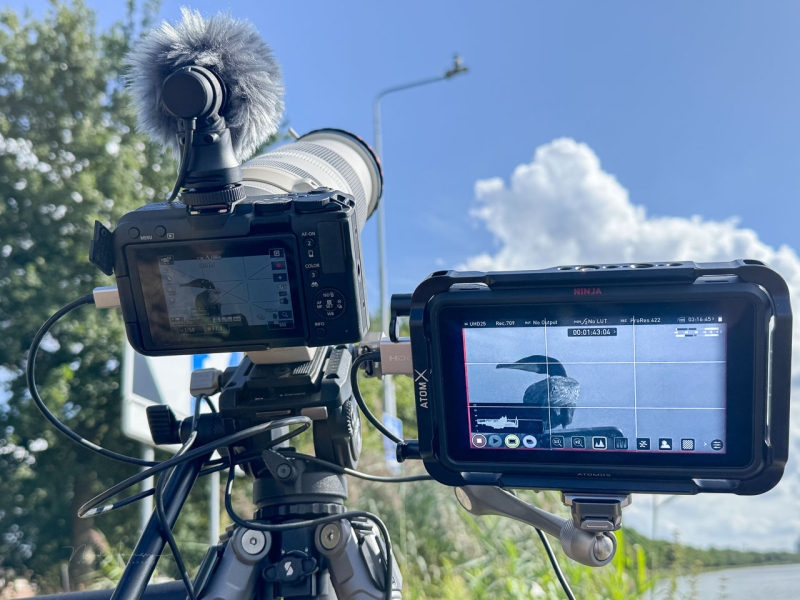
If you are recording with external monitors, a more professional camera may be advisable. However, it is possible with the Canon EOS R50 V.
The EOS R50 V is certainly not flawless. Autofocus sometimes struggles, and advanced video formats are lacking. Still, it’s important to view its performance in light of the target audience. For them, the camera offers enough options.
If you’re looking for a simple video camera that can also take an occasional photo, does it have to be easy to use, without worrying too much about settings? Do you want to have the option to use some more advanced settings, but not too much? Then the Canon EOS R50 V is definitely recommended.
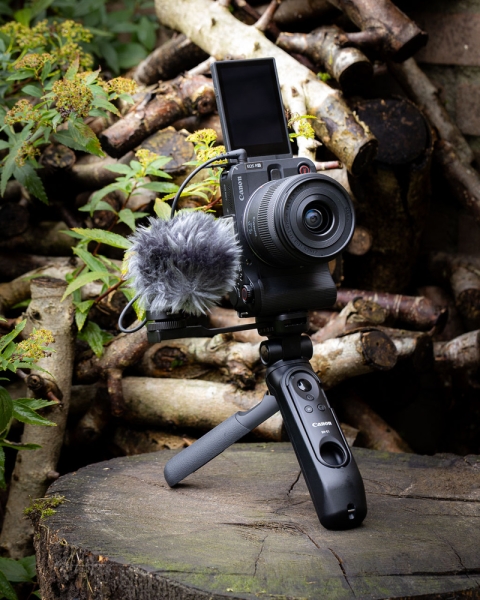
The Canon EOS R50 V. It’s a fun little camera for easy videography. I enjoyed using it.
If you’re looking for professional functions and features, this is probably not the right camera for you. In that case, you’ll quickly end up in a more expensive segment.
The price of the Canon EOS R50 V is $879 with the RF-S 14–30mm f/4.5-6.3 IS STM PZ lens. The body is available for $649.
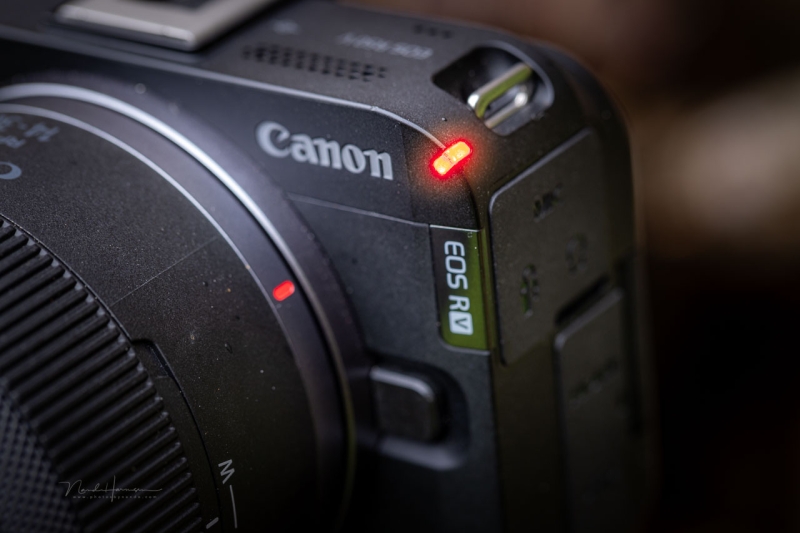
A nice tally light is available. You can also turn it off completely.
What’s Good
-
Tripod mounts for vertical and horizontal use
-
Small and compact size
-
Multiple buttons to start and stop recording
-
Extensive color settings for video, including YCC 422 10-bit recording
-
PSAM dial aimed at video provides ease of use
-
Four audio channels
-
Lots of connectivity options including streaming
-
Autofocus recognition and tracking for both video and photo
-
6K oversampling for 4K video
-
Ability to save a frame as an 8.3-megapixel JPEG photo from 4K UHD video
-
Battery charger included
-
Hot shoe with electronic contacts
-
Reasonable price
What Could Be Improved
-
Camera cannot be used while charging the battery internally
-
No red frame around the screen during recording
-
Rubber seals on connection ports sometimes get in the way
-
Battery capacity is limited (one or two spares are advised)
-
No percentage display of battery capacity (also not in the menu)
-
Autofocus recognition and tracking not always reliable
-
Depending on settings, many functions may be unavailable (hard to figure out which settings are responsible)
-
Rear scroll wheel is hard to use without pressing buttons
-
Memory card next to battery (inconvenient when swapping while a tripod is connected)
I enjoyed using the Canon EOS R50 V for this review. I want to thank Canon Netherlands for providing the camera.